How to Make a Personalized Children's Book with AI (in 5 Minutes)
Anyone can publish their kid as the hero of a real picture book now. Here's the whole process — from the spark of an idea to a printed copy on the shelf — in five minutes flat.
Quick answer
Making a personalized children's book with AI takes about five minutes and turns on three decisions: pick a moment rather than a topic, describe your child the way a casting director would (age, hair, one distinguishing feature, one personality trait), and choose an art style that will still look right in a year. This post walks through each step with the exact wording that works, then covers reviewing the generated pages before you print. No art or writing skill assumed.
Five years ago, putting your child's name and face into a real, illustrated picture book meant hiring a writer, an illustrator, waiting weeks, and paying somewhere between $300 and $2,000. Today you can do it from your phone, while the kid is still in the bath, for the cost of a coffee.
This guide walks through the whole flow end-to-end — what to type, what choices matter, where the AI tends to mess up, and how to fix it.
What "personalized" actually means
There's a spectrum. On the cheap end, "personalized" just means the AI swapped out a name in a stock story — same generic characters, same generic art. On the good end, the story is built around your child: their look, their name, the things they love, a real situation they're going through.
When you start a book, aim for the second one. Generic name-swaps don't hold a kid's attention past page two.
Step 1 — Pick a moment, not a topic
Most parents start with a topic ("dinosaurs," "space," "a dragon"). That's fine, but the books that land emotionally start with a moment the child is living right now:
- The first day of a new school.
- Sharing a room with a new sibling.
- Being scared of the dark.
- Saying goodbye to a grandparent moving away.
- Losing their first tooth.
If you anchor the story to something happening this week, the kid feels seen. They go back to that book on their own. A generic dinosaur book gets read twice and shelved.
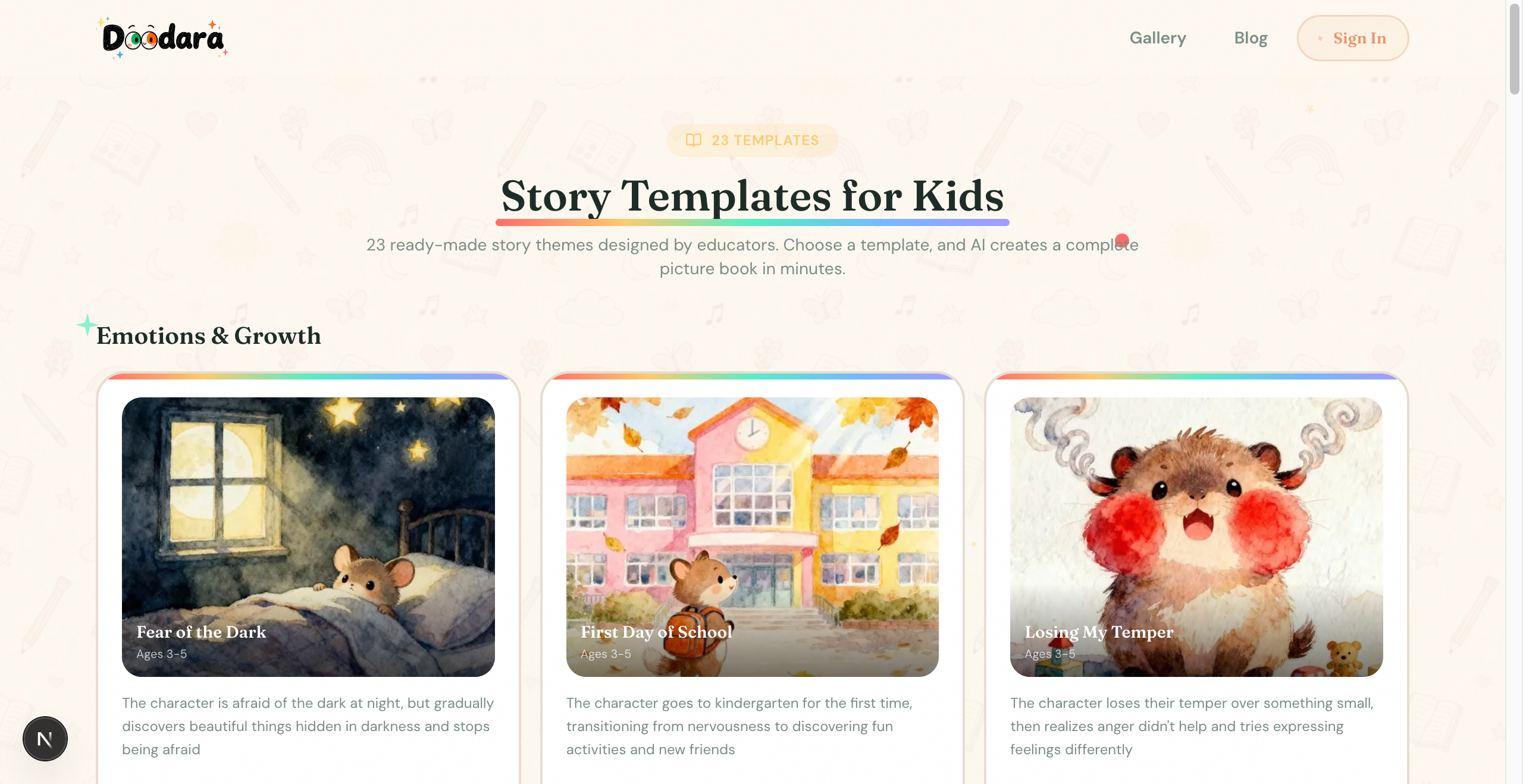
- 1Templates are grouped by what the kid is feeling, not by topic — that's the right axis. Browse for patterns, not finished plots.
- 2A template like "First Day of School" is good. The version where it's literally Ben's first day at his new school next Monday is better.
Step 2 — Describe the child like a casting director
When the AI picture book creator asks who the main character is, parents tend to type "my son Ben, 5 years old." That's not enough information for the model to lock in a consistent look across 12 pages.
A better description:
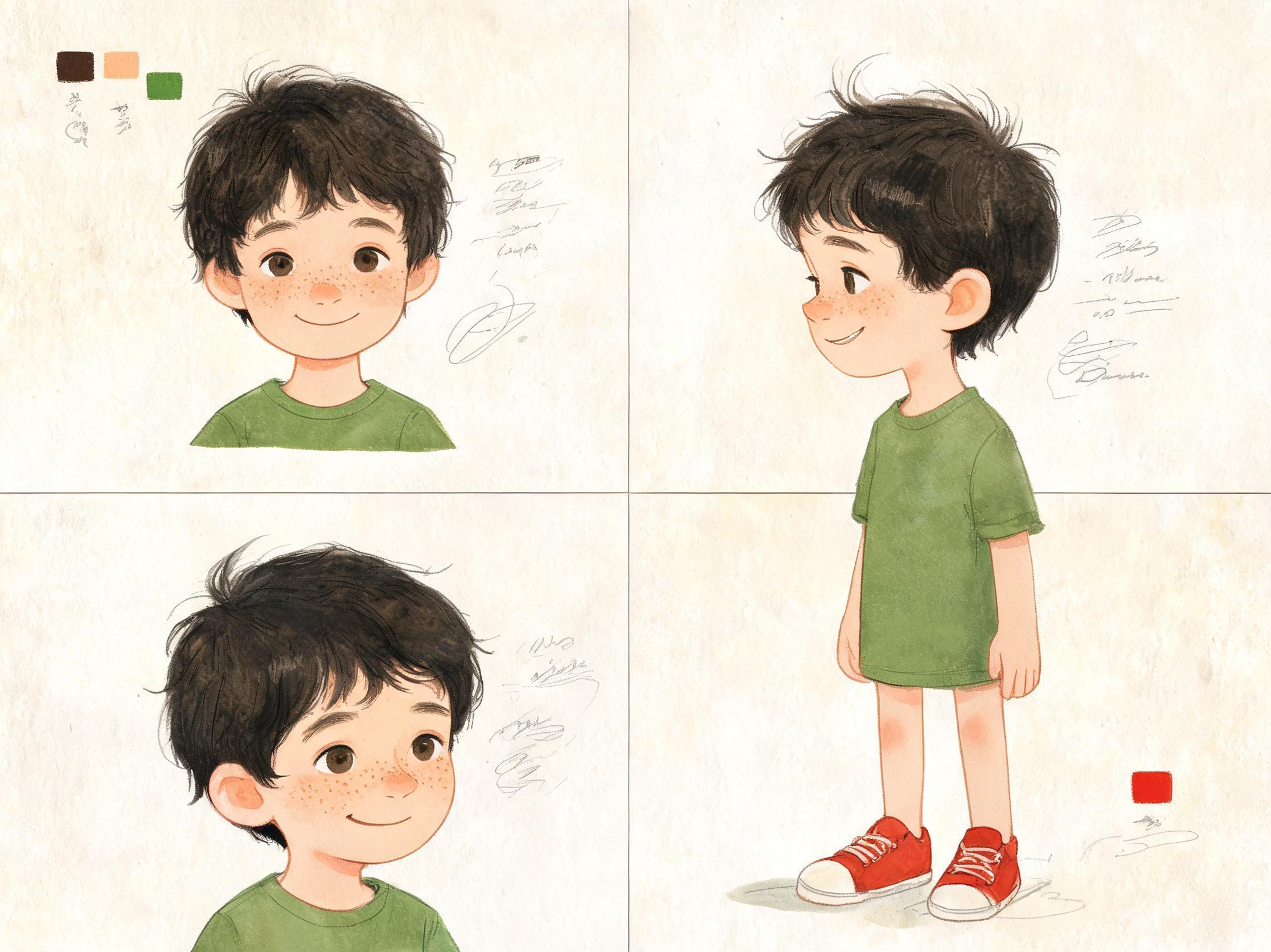
Ben, age 5. Dark wavy hair just over his ears, slight cowlick at the back. Light olive skin. Big brown eyes, long eyelashes. Wears red sneakers and a green dinosaur t-shirt almost every day. Front tooth missing on the left.
The more specific you are, the more the same kid shows up on every page — same face, same outfit, same vibe. Vague descriptions produce books where the protagonist looks like a slightly different child on each spread, which kids notice immediately.
If you can, upload a real photo. Most tools (including ours) use the photo as a visual reference rather than a literal copy — so the illustrated character resembles your kid without being uncanny.
Step 3 — Choose an art style that ages well
This is where a lot of AI books fall apart. The default "AI illustration" look — that glossy, slightly plastic, hyper-symmetrical aesthetic — is what makes adults roll their eyes and what makes the book feel disposable.
Pick a style that looks like a book you'd actually pull off a real shelf. Browse art styles for examples — watercolor, classic storybook, modern flat, hand-drawn pencil, Ghibli-inflected, gouache, crayon. A handful of art styles will give you a book that feels like it was made, not generated.
If you're unsure, watercolor and classic storybook are the safest defaults. They forgive small AI artifacts the way a photo-realistic style does not.
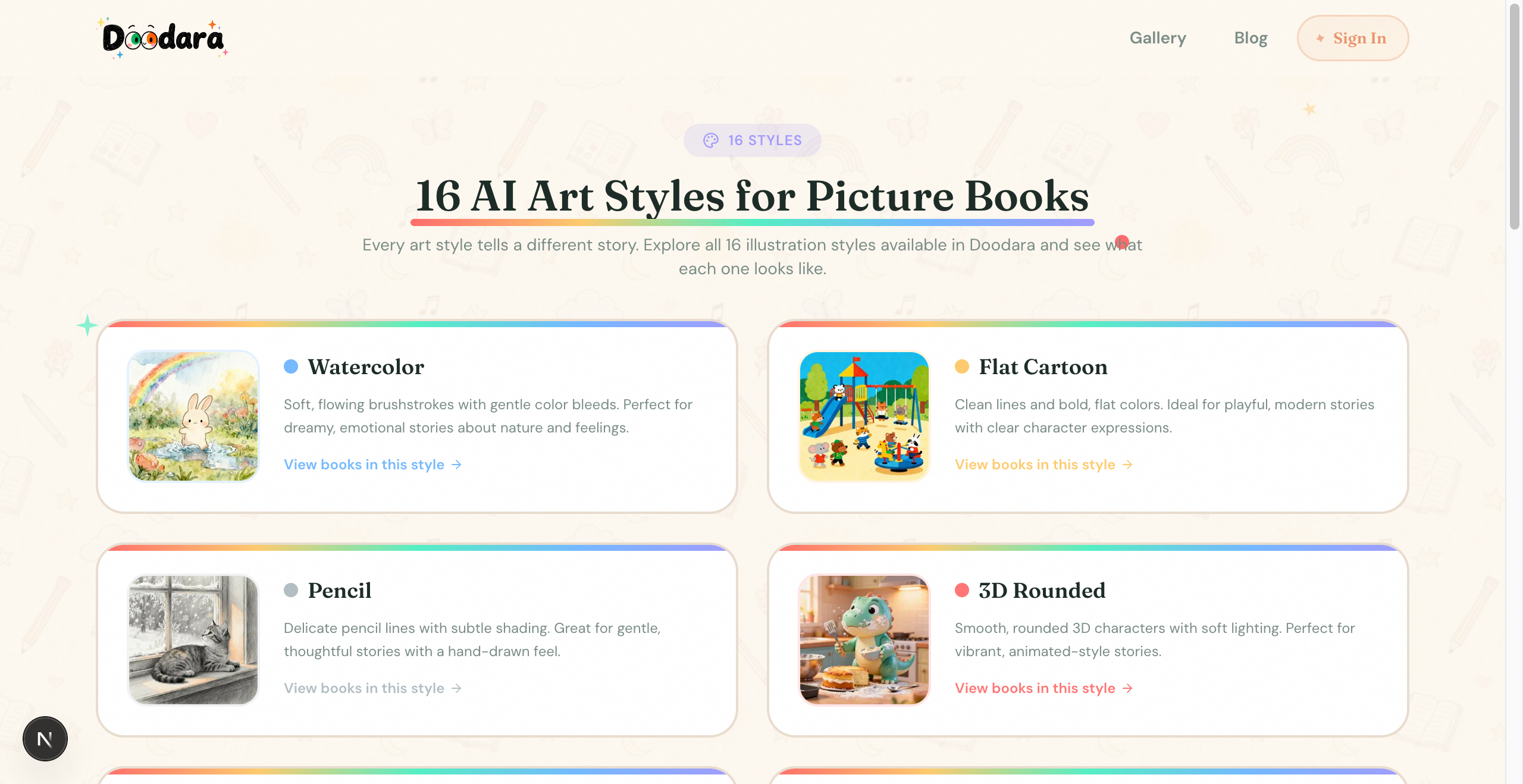
- 1Watercolor: the safest default. Soft edges and visible texture hide the small inconsistencies AI tends to produce.
- 23D-rendered styles are the fastest way to land in uncanny-valley territory. Pick them only if the kid is specifically into Pixar-looking books.
Step 4 — Let the AI draft, then edit ruthlessly
The first draft the AI produces is a starting point, not a finished book. Expect to:
- Rewrite at least one page where the dialogue feels off.
- Regenerate one or two illustrations where the character looks wrong.
- Tighten the ending. AI tends to wrap up too neatly — real kids' books leave a little room to breathe.
The good tools let you regenerate individual pages without rerolling the whole book. Use that. A book where 11 pages are perfect and 1 is awkward becomes a book where 12 pages are perfect.
Step 5 — Read it out loud before you print
Before you hit print or share with grandparents, read the whole thing aloud at bedtime. You'll catch things the eye misses on screen — clunky rhythm, a sentence that's too long for a 4-year-old's attention, a name that sounds like another name and gets confusing.
If a page makes you trip while reading, the kid will trip too. Fix it.
Step 6 — Decide between digital, print, or both
For day-to-day reading, the digital version on a tablet works fine and costs almost nothing. But a printed picture book has a different weight — kids treat physical books as more real. The first printed book about your child is a keepsake. Print it. Even if you only do one.
For gifts, especially birthday and Christmas gifts, the printed version is the move. Digital is convenient but it doesn't unwrap.
Common mistakes to avoid
Too many characters. AI gets confused tracking five named kids across 12 pages. One protagonist, one or two sidekicks max.
Too long. A picture book for a 4-year-old is 12-16 spreads. Don't write a novella.
Trying to teach a lesson. The best children's books show something rather than teach something. If the moral is too obvious, the kid feels lectured.
Forgetting the dedication. This costs nothing and matters more than you'd guess. "For Ben, who asked for one more story every night" — the kid will read that line a thousand times.
How long does it actually take?
The clickbait answer is five minutes, and that's true for a passable first draft. A good book — one you'd be proud to give a relative — takes 20 to 40 minutes of editing on top of the AI draft. That's still extraordinary compared to the old way.
Try it
If you want to start now, the creator is open and the first book is free with new-user credits. Or browse the gallery first to see what other parents have made — it's the fastest way to figure out what style and tone you want for your own kid.
Either way: pick a moment from this week, describe your kid like a casting director, and you'll have something on the shelf by tomorrow.
About the author
Andy — Andy is the founder of Doodara and builds the illustration pipeline behind it — the part that has to keep a child's character looking like the same child on every page of a book. Most of that work is character consistency, content safety for material aimed at young children, and the unglamorous business of making a generated book good enough that a family reads it twice.