AI Picture From Photo Ideas for Storybooks
Explore ai picture from photo ideas for storybooks, gifts, and bedtime tales. Learn photo vs picture workflows and create today.
Turning a child’s real-life photo into storybook art used to require an illustrator, a long creative brief, and a lot of patience. Now, families can create a magical picture book in minutes. If you’ve been searching for a simple way to transform snapshots into bedtime adventures, birthday gifts, classroom keepsakes, or custom character art, this guide will show you exactly how it works - and how to get better results.
One point of confusion comes up again and again: what’s the difference between an ai picture from photo and an ai picture from picture workflow? They sound similar, but they’re not the same. The first usually starts with a real camera image of a person, pet, toy, or place. The second begins with an existing image - maybe a sketch, illustration, old book cover, or previously generated artwork - and asks AI to reinterpret it.
For parents and caregivers, that difference matters. A photo-based workflow is often best when you want the book’s hero to truly look like your child. An image-to-image workflow is often best when you already have artwork you want to restyle or refine.
At Doodara, this is exactly where the magic happens: you can start free, with no credit card required, and even no sign-up needed to generate your first book. Upload one image, choose a story direction, and create a fully illustrated, personalized book starring your child - complete with fast AI-generated writing, consistent character design across pages, interactive flipbook preview, easy sharing, and print-ready PDF export.
What Does “AI Picture From Photo” Mean in Storybook Creation?
An ai picture from photo process uses a real photo as the starting reference. That photo might be of:
your child
siblings together
a pet
a favorite stuffed animal
a family member giving a gift
a meaningful place like a bedroom, garden, or classroom
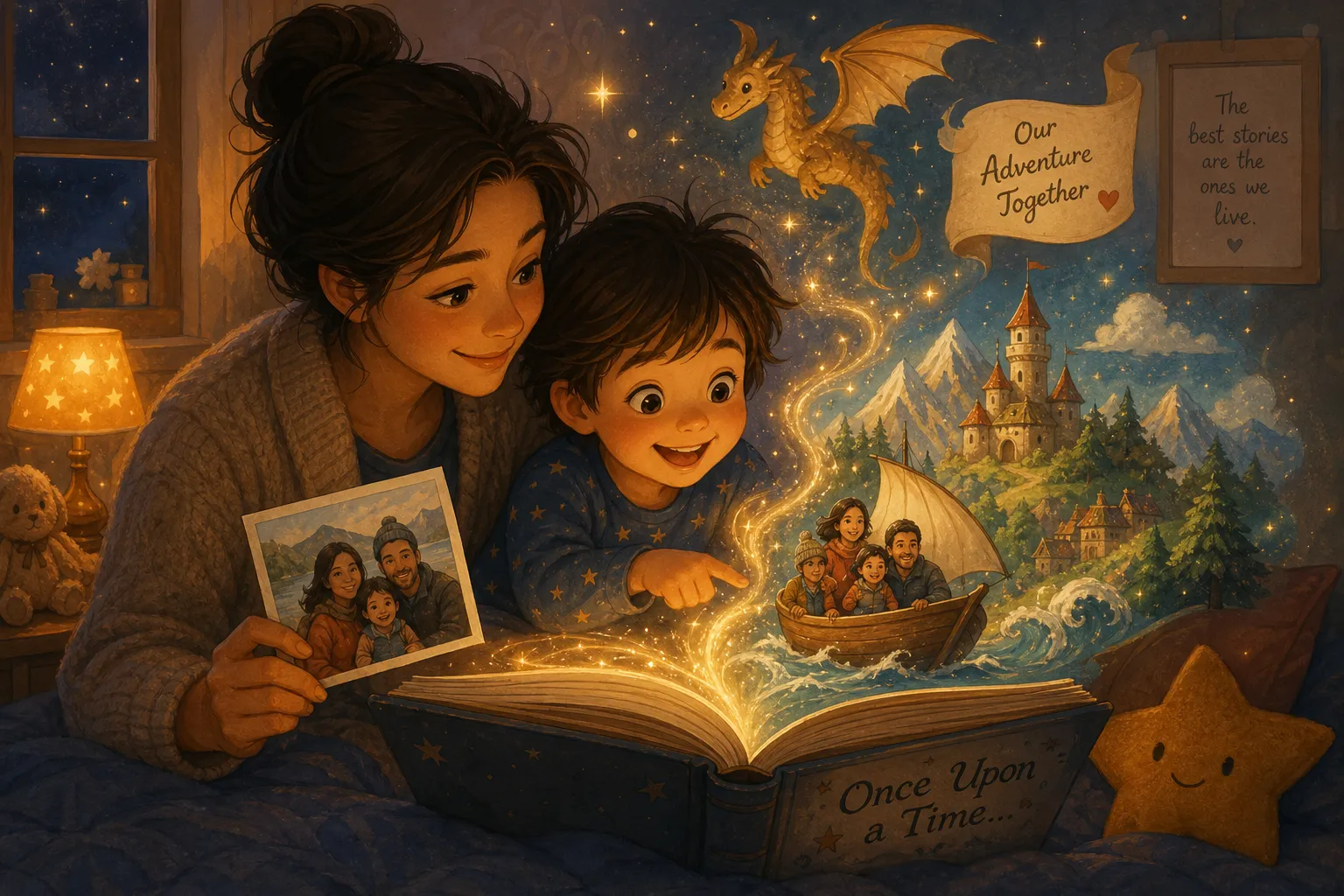
The AI studies the visual details - face shape, hair, clothing cues, pose, or general identity markers - and then converts them into a new illustrated style. In a children’s book context, that means the result no longer looks like a plain photo. It becomes watercolor art, cartoon art, dreamy bedtime art, fantasy scenes, or any other chosen look.
This is especially powerful for personalized books because children instantly recognize themselves in the story.
What Does “AI Picture From Picture” Mean?
An ai picture from picture workflow starts with an image that already exists. That image could be:
a child’s drawing
an old illustration
a digital painting
a comic panel
a previous AI image
a scanned doodle
a book mockup you want to restyle
Instead of translating real life into storybook art, the AI is translating one image style into another. This is useful when you already have a visual concept but want a cleaner, more polished, or more consistent version for your pages.
For example:
A child draws a dragon and you turn it into polished picture-book art.
You generate one character portrait, then use it as a base for more scenes.
You scan a pencil sketch and convert it into a finished fantasy illustration.
AI Picture From Photo vs AI Picture From Picture
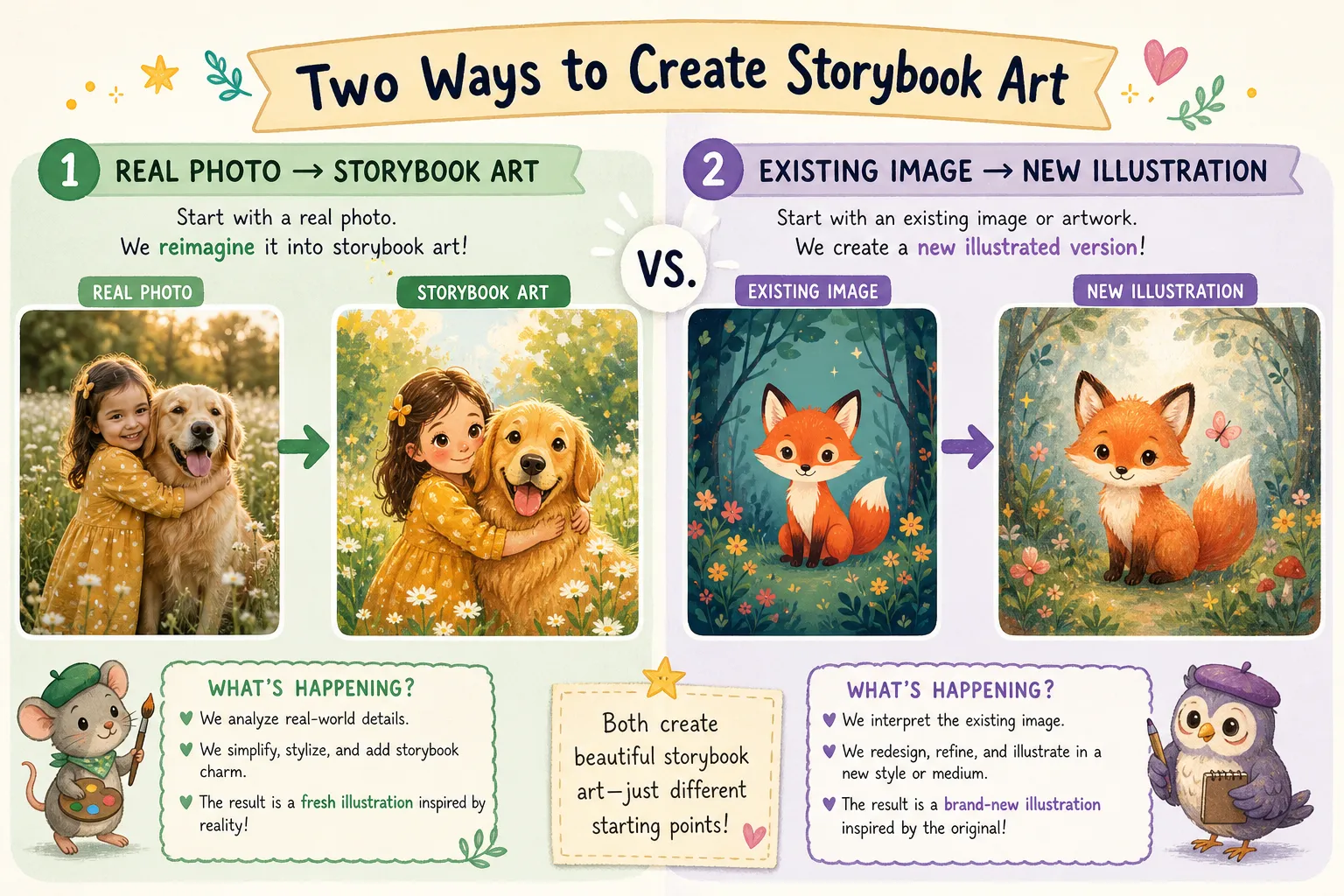
Here’s the simplest way to think about it:
Feature | AI Picture From Photo | AI Picture From Picture |
|---|---|---|
Starting point | Real-life photo | Existing image or artwork |
Best for | Personalized child characters | Restyling or refining art |
Identity accuracy | Usually stronger for real people | Depends on the base image |
Common use cases | Bedtime books, gifts, family stories | Character sheets, redraws, classroom art |
Input quality needs | Clear photo helps most | Strong source image helps most |
Emotional impact | High, because it feels personal | High, if the original art is meaningful |
For storybooks, most families prefer the photo route because it helps the main character feel truly personal. But if you already have drawings from your child, an ai picture from picture method can preserve that original spark while making the art publication-ready.
Why Families Love Photo-to-Storybook AI
The biggest benefit is emotional connection. A child doesn’t just hear a story - they see themselves inside it.
"Only 13% of parents read to their children every night, compared to 75% who recall being read to nightly during their own childhood." - The Guardian
That’s one reason personalized, fast-to-create books matter so much. When it’s easier to make a custom story, it’s easier to keep story time alive.
"Both children and parents exhibited significantly higher frequencies of smiles and laughter when reading personalized books compared to non-personalized ones." - SAGE Journals
A personalized storybook is not just cute. It can help reading time feel more interactive, memorable, and rewarding.
The Best Storybook Use Cases for AI Picture From Photo
Personalized Bedtime Books
A sleepy, gentle story starring your child can quickly become part of a nightly routine. Choose soft art styles, comforting themes, and reassuring plots about bravery, kindness, or settling down for sleep.
Birthday Gift Books
Instead of another toy, create a keepsake where the birthday child becomes the hero of their own adventure. This works beautifully for grandparents, godparents, aunts, uncles, and family friends looking for something deeply personal.
First Day of School Stories
Photo-based books can prepare children for transitions. Seeing themselves in a school-themed adventure helps them imagine success before the big day arrives.
Fear-of-the-Dark and Confidence Stories
When a child sees a character who looks like them facing monsters, shadows, or worries - and succeeding - it can make the message feel more real.
Sibling Adventure Books
Upload a sibling photo and create a treasure hunt, jungle quest, space trip, or magical rescue with both children in the spotlight.
Pet-and-Child Storybooks
For many families, the family pet is part of the cast. A real photo of a child and dog or cat can become a charming illustrated duo across every page.
Classroom and Educator Projects
Teachers can use photo-inspired visuals to create custom stories for class themes, social-emotional learning, language practice, and seasonal activities.
Creative Ideas for AI Picture From Picture
If you’re using an ai picture from picture approach instead, try these ideas:
Turn a Child’s Drawing Into a Finished Book
A crayon sketch of a unicorn, rocket, or bear can become consistent page-by-page art while still keeping the child’s original idea at the center.
Restyle Old Family Artwork
Maybe you already made a digital invitation, poster, or handmade illustration. AI can convert it into a cohesive storybook look.
Build a Character Library
Create one character image first, then reuse it as a visual anchor for multiple scenes so the hero feels familiar from page to page.
Upgrade School Assignments
For classroom writing projects, children can start from hand-drawn scenes and turn them into polished story pages.
What Makes a Great Source Photo?
If you want the best result from an ai picture from photo workflow, start with a strong image.
Use a Clear Face Shot
The clearer the child’s features, the easier it is for AI to build a recognizable illustrated character.
Choose Good Lighting
Natural daylight tends to work better than dark, blurry, or strongly filtered photos.
Keep the Background Simple
Busy backgrounds can distract from the subject. A clean photo makes character extraction easier.
Pick a Distinctive Outfit or Accessory
A yellow raincoat, favorite pajamas, or superhero cape gives the AI memorable design clues it can carry into the book.
Match the Mood to the Story
If the story is cozy and calm, a soft smiling portrait works well. If the story is adventurous, a playful action photo can be even better.
What Makes a Great Source Image for AI Picture From Picture?
For image-to-image transformations, these details help:
choose the clearest version of the artwork you have
crop unnecessary borders
avoid heavy compression or tiny files
keep the main subject centered
decide what should stay the same and what should change
use prompts that describe the target style clearly
This is especially useful when you want to preserve composition while changing the finish.
How Doodara Turns One Image Into a Whole Storybook
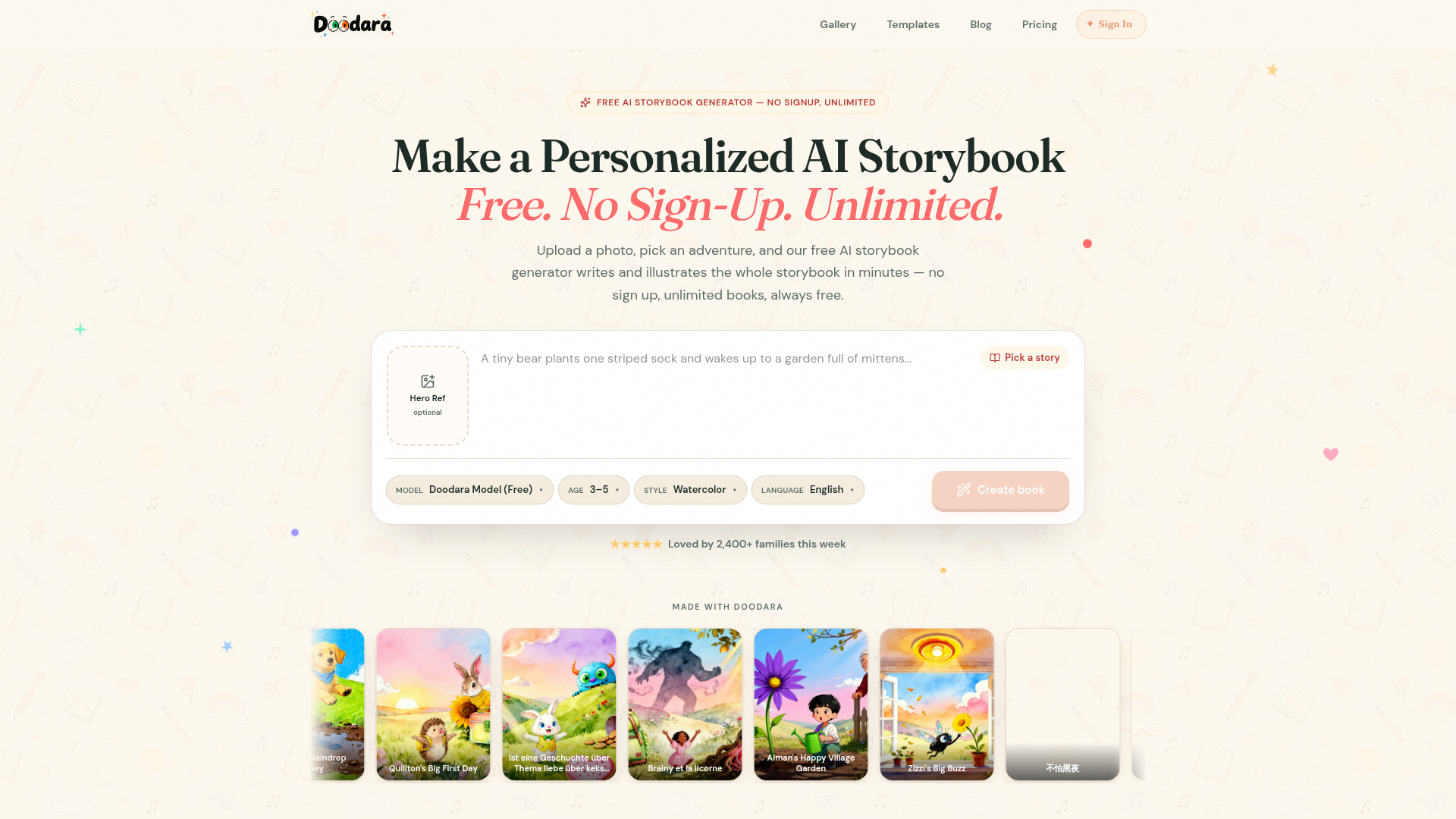
Many tools can generate one nice image. That’s not the hard part anymore. The real challenge is turning one image into a full, coherent children’s book with:
a strong story structure
a child-safe tone
matching art across pages
readable pacing for a specific age range
print-ready formatting
easy sharing for families
That’s where Doodara stands out.
With Doodara, you can:
start free with no credit card required
generate a first book with no sign-up needed
create unlimited storybooks
upload a photo and turn it into a personalized child hero
choose from 16 art styles
pick from 20+ story templates
create books in 10 languages
preview everything in an interactive flipbook
share instantly or export a print-ready PDF
keep character visuals consistent from scene to scene
Instead of juggling multiple AI tools for writing, prompting, layout, illustration, and export, families get one smooth experience designed specifically for children’s books.
Photo-Based Storybook Ideas You Can Make This Week
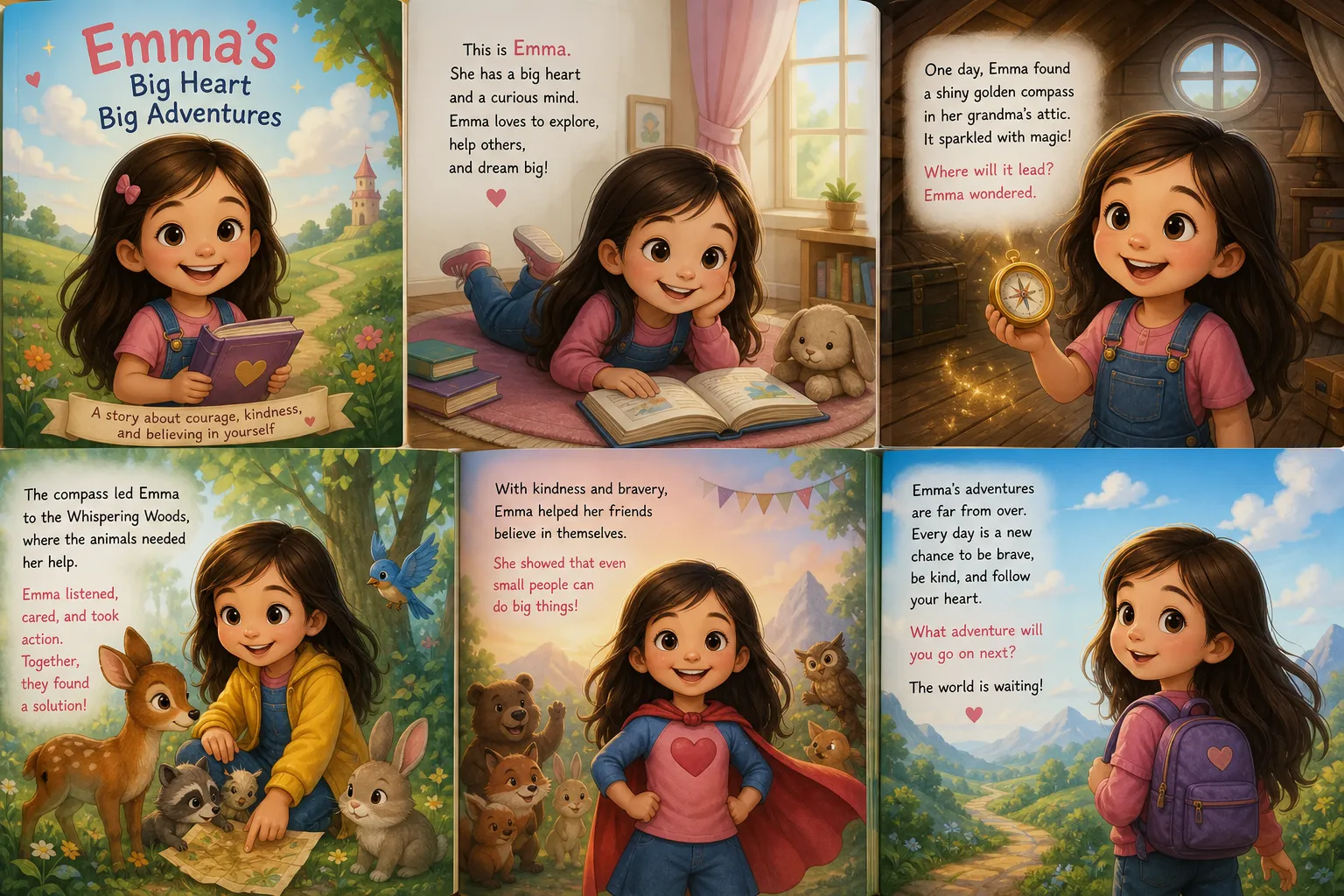
If you want practical inspiration, here are story concepts that work especially well:
Story Idea | Best Input Type | Why It Works |
|---|---|---|
The child as a brave explorer | Photo | Recognition makes the adventure feel personal |
The child and pet save the day | Photo | Emotional connection is immediate |
A child’s doodle becomes a magical friend | Picture | Preserves their original creativity |
Bedtime journey through the stars | Photo | Ideal for calming nighttime reading |
Birthday hero celebration book | Photo | Makes a memorable keepsake gift |
First day of school courage story | Photo | Supports emotional preparation |
My toy comes alive | Photo or picture | Great if a stuffed animal is part of the plot |
Classroom alphabet adventure | Picture | Useful for teacher-created visuals |
How to Get More Consistent Character Art
One of the biggest frustrations with generic AI image tools is that the character changes from page to page. Hair color shifts. Face shapes drift. Clothing disappears. For a children’s book, that breaks immersion fast.
Here are the best ways to avoid that:
Start With One Strong Reference
Use a clear source photo or image before creating the full story.
Keep Key Traits Stable
Mention the same hair style, outfit, age cues, and accessories across pages.
Use One Chosen Art Style
Mixing watercolor, anime, pencil, and 3D styles in one short book often leads to visual chaos.
Build Around Templates
A purpose-built storybook platform does this better than a general image generator because the workflow is structured around page-to-page consistency.
Doodara is especially strong here because it’s designed to keep the same child hero recognizable through the entire book, rather than treating every page like a brand-new image request.
Choosing the Right Art Style for Your Story
Different stories feel better in different visual languages.
Soft Watercolor
Lovely for bedtime, first books, and gentle emotional themes.
Bright Cartoon
Great for younger children, humor, and energetic adventures.
Fantasy Storybook
Perfect for dragons, castles, magical forests, and dream quests.
Clean Educational Style
Useful for classroom books, language learning, and concept-driven stories.
With 16 art styles available, Doodara gives families room to match the look to the child, occasion, and tone.
When to Use Photo Input vs Existing Image Input
Choose photo input when:
the child should clearly star in the book
you want a gift that feels deeply personal
you want to capture a real family moment
the source is a child, pet, or relative
Choose existing image input when:
you already have a drawing you love
you want to restyle older artwork
you’re improving a school or class project
the original source is already illustrated
In many cases, families use both: a real child photo for the hero, plus a child drawing for a magical creature, sidekick, or dream world element.
Common Mistakes to Avoid
Using Low-Quality Photos
Blurry or distant images make it harder to produce recognizable characters.
Asking for Too Many Styles at Once
“Make it watercolor, Pixar-like, comic, realistic, and pastel” usually creates confusion, not better art.
Ignoring Age Range
A toddler bedtime story should feel very different from a classroom story for older children.
Forgetting the Book Format
A single beautiful image is not enough. You need page flow, scene variety, and visual continuity.
Using General Tools for a Storybook Job
General-purpose AI tools can create art, but they often don’t handle full storybook structure well. A specialized platform like Doodara removes that friction.
Why This Matters Beyond Aesthetics
Photo-based AI books do more than look adorable on a screen. They can support:
reading engagement
emotional reassurance
milestone celebrations
imaginative play
family bonding
multilingual storytelling
gift giving with real sentimental value
For busy parents, the biggest win may be speed. You don’t need writing skills, design training, or hours of editing. A single upload can become a shareable book in minutes.
A Simple Workflow for Creating a Personalized Storybook
Here’s a practical process that works well:
Choose your best child photo or existing artwork.
Decide whether your project is best as an ai picture from photo or ai picture from picture workflow.
Pick the use case: bedtime, birthday, classroom, keepsake, or emotional support topic.
Select an age range so the writing feels right.
Choose an art style that matches the mood.
Use a story template to speed things up.
Review the flipbook preview.
Export as a PDF or share digitally.
Print it if you want a lasting keepsake.
Doodara makes this especially easy because the platform handles both the words and the visuals in one place.
Why Doodara Is a Smart Choice for Families
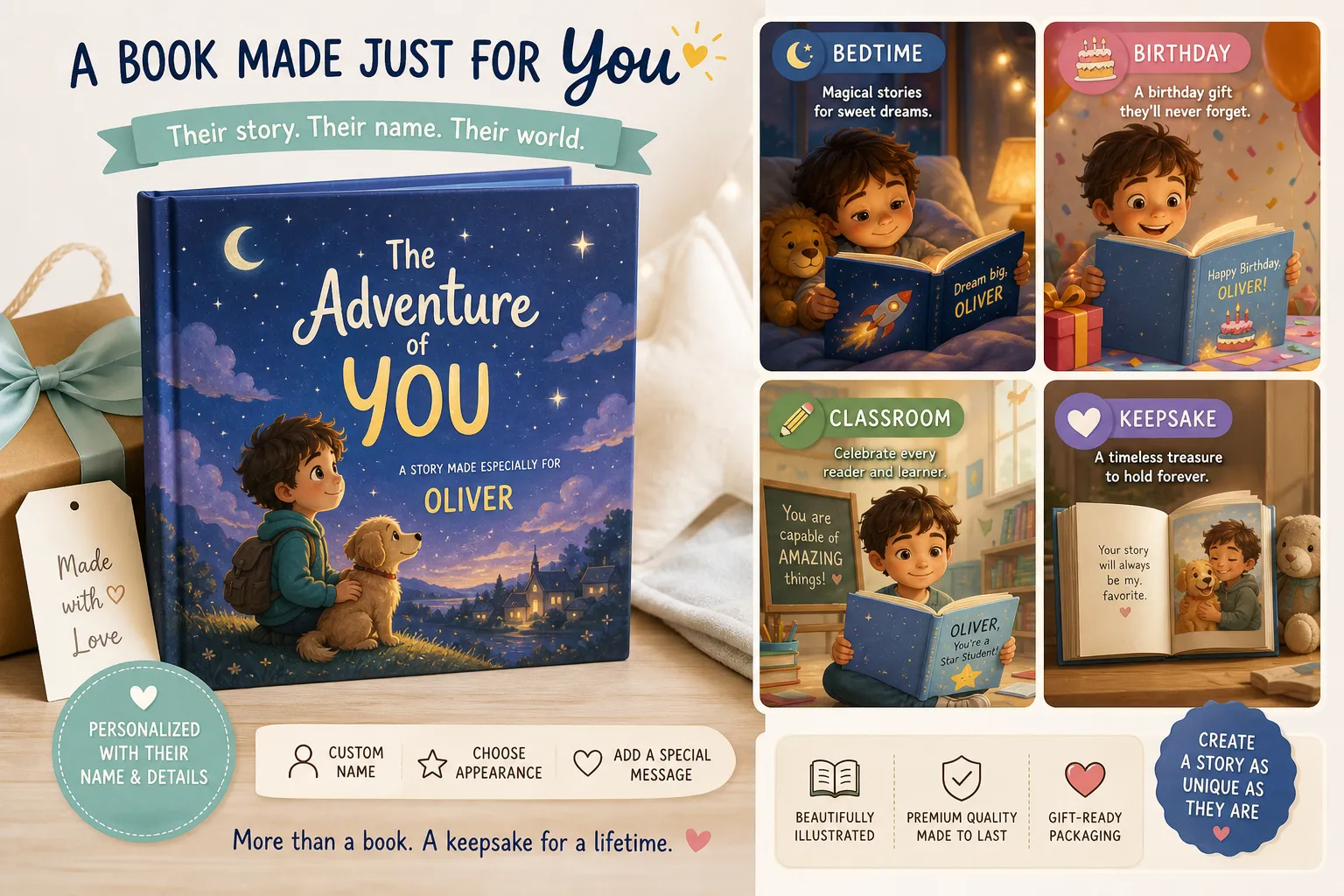
There are plenty of AI image tools. There are fewer tools that truly understand what families need from a children’s publishing experience.
Doodara is built for exactly that moment when someone says, “I have one photo and one sweet idea - please help me turn it into a real book.”
It’s a strong fit because it combines:
personalization
speed
story structure
visual consistency
multilingual support
family-friendly simplicity
flexible sharing and print options
And importantly, it lowers the barrier to entry: free to start, no credit card required, and no sign-up needed to generate the first book.
Final Thoughts
If you want to create a child-centered storybook from a real image, an ai picture from photo workflow is usually the best choice. If you already have artwork, sketches, or illustrations to transform, an ai picture from picture process may be the better fit. Both can be magical - but for personalized books, photo-based creation often delivers the strongest emotional payoff.
The real secret is not just generating one pretty image. It’s turning that image into a complete, cohesive, shareable story that feels like it was made for one child and one moment.
That’s why Doodara is such a compelling option for parents, caregivers, educators, and gift-givers. You can go from photo to fully illustrated storybook in minutes, with no design skills, no complicated setup, and no pressure to commit before you try it.
If you’re ready to make a bedtime favorite, a birthday keepsake, or a classroom-ready custom book, try Doodara and turn one image into a story your child will want to read again and again.
FAQ
Can you use AI images to illustrate a children's book?
Yes. AI images can absolutely illustrate a children’s book, especially when you want fast, personalized visuals for bedtime stories, classroom books, or gifts. The best results come from using a tool built for storybooks so the character stays consistent across pages.
Can I use AI to generate images for a book?
Yes, and many families now use AI to create both the art and story structure for custom books. A platform like Doodara makes this easier by combining writing, illustration, preview, sharing, and print-ready export in one workflow.
How to generate AI images for a story?
Start with a clear photo or base image, choose the story goal, select an art style, and define the age range and tone. For the smoothest experience, use a storybook-focused AI tool that can turn your input into page-by-page illustrations instead of isolated images.
How do I turn a photo into an AI photo?
Upload a clear image, then let the AI reinterpret it in a chosen visual style such as watercolor, cartoon, or fantasy storybook art. This is often called an ai picture from photo workflow, and it works especially well for personalized children’s books.
Is it legal to illustrate a book with AI?
In many cases, yes, but you should always make sure you have the right to use the source image and follow the platform’s terms for commercial or printed use. If you’re using a child’s photo, family picture, or your own artwork, you’re starting from a much safer place.
What AI app can I use to illustrate a book?
You can use a dedicated storybook platform like Doodara if you want more than a single image. It is especially useful for families because it supports personalized child characters, multiple art styles, 10 languages, interactive flipbook preview, and print-ready PDF export.
About the author
Andy — Andy is the founder of Doodara and builds the illustration pipeline behind it — the part that has to keep a child's character looking like the same child on every page of a book. Most of that work is character consistency, content safety for material aimed at young children, and the unglamorous business of making a generated book good enough that a family reads it twice.