Free AI Art Generator From Photo Guide
Discover a free AI art generator from photo tools, features, limits, and tips plus how Doodara turns photos into storybooks today
If you’re trying to turn a favorite picture into something magical without paying upfront, you’re in the right place. A good free AI art generator from photo should do more than slap a filter on an image. It should help you upload a real photo, choose a style, keep the important details, and produce artwork you’ll actually want to save, share, print, or turn into something meaningful.
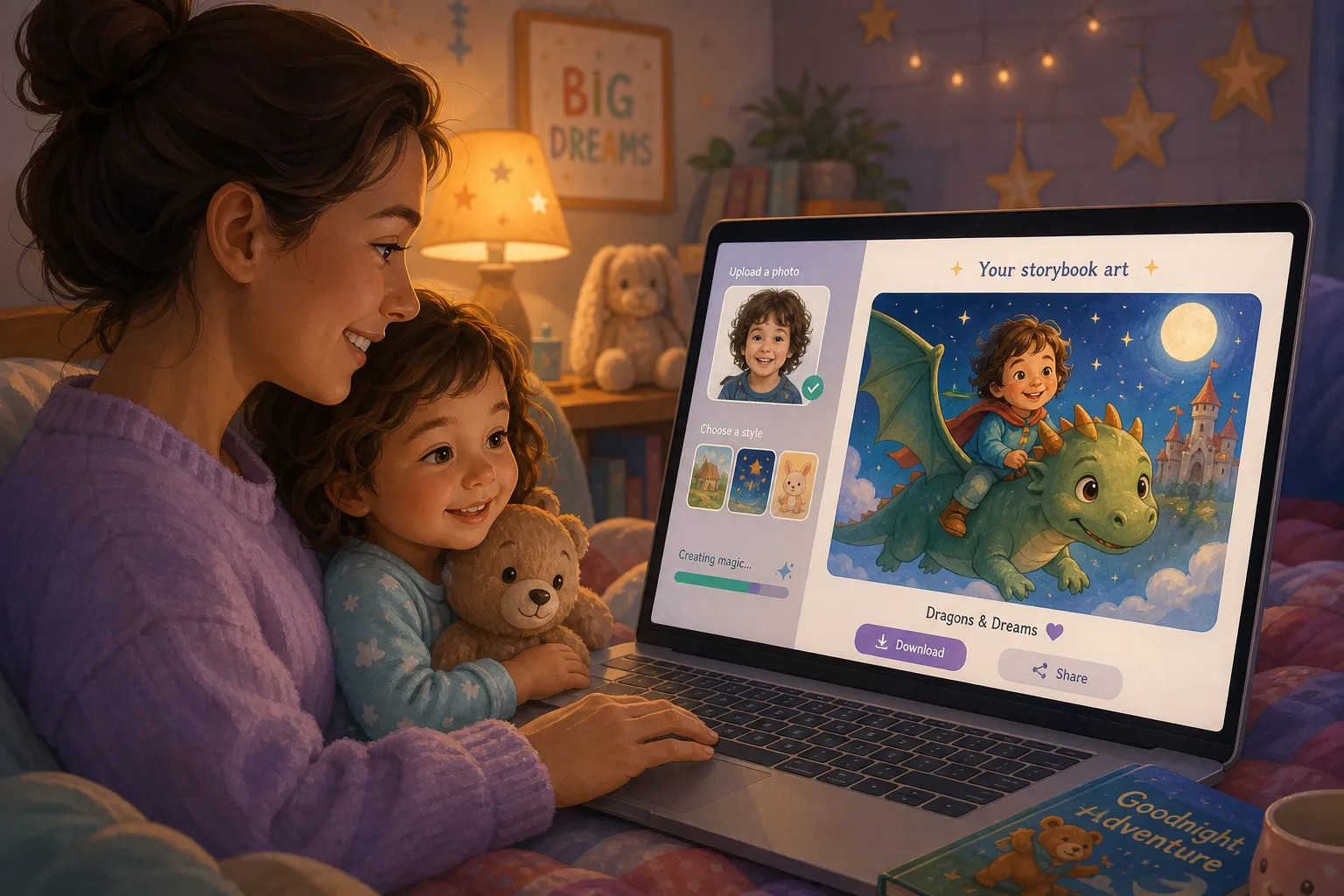
For parents, caregivers, and teachers, this matters even more. You’re not just making “AI art.” You may be turning a child’s photo into a bedtime adventure, a birthday surprise, a classroom keepsake, or a confidence-boosting story where they become the hero. That’s where a family-first tool like Doodara stands out: you can start free, no credit card required, and even generate your first book with no sign-up needed. From one photo, Doodara can create a fully illustrated personalized storybook with fast AI writing, consistent character design across pages, 16 art styles, 20+ story templates, 10 languages, interactive flipbook preview, easy sharing, and print-ready PDF export.
"A 2022 Scholastic survey revealed that 51% of preschoolers (ages 0–5) are read aloud to at home 5–7 days a week." - StoriesZZ
"Research involving parents reading personalized books with toddlers revealed higher frequencies of smiles, laughter, and vocal activity compared to non-personalized books." - SAGE Journals
What a Free AI Art Generator From Photo Actually Does
A photo-to-AI-art tool starts with an uploaded image instead of a text prompt alone. That makes it different from a basic free AI image generator. Rather than inventing a scene from scratch, it uses the photo as a visual reference and transforms it into a new style.
Common things these tools can do
Turn a portrait into watercolor, anime, storybook, sketch, or painterly art
Restyle family photos for invitations, wall prints, and gifts
Create character-inspired versions of a child from one uploaded image
Generate illustrations from a picture while preserving face shape, hair, clothing cues, or mood
Build a sequence of images from one photo for books, slides, or classroom materials
What many “free” tools don’t tell you
A lot of competitor guides compare image quotas, but gloss over the real experience. The biggest gaps usually come down to:
whether you can upload your own image
whether the result is just a single stylized picture or something more useful
whether the subject stays recognizable
whether the design is consistent across multiple pages or scenes
whether you can share, print, or export the result easily
whether “free” means free enough to test properly
That last point matters. A free AI art generator upload image workflow is only helpful if you can try it without hitting a paywall immediately.
How to Choose the Best Free AI Art Generator From Photo
Not every tool is built for the same job. Some are great for quick social images. Others work better for business graphics. A few are especially useful for families who want to transform a picture into story-driven artwork.
Look for these features first
Feature | Why It Matters |
|---|---|
Photo upload support | Essential if you want to transform an existing picture rather than start from text only |
Style variety | More styles means more chances to match your goal, from anime to watercolor to bedtime-book charm |
Subject consistency | Critical when the same child or character needs to look similar across multiple outputs |
Editing control | Useful for adjusting prompt, composition, background, or details |
Export options | You may want PNGs, downloadable files, or print-ready PDFs |
Speed | Fast generation keeps the process fun, especially with kids nearby |
Commercial/personal clarity | Important if the image is for gifts, school materials, or small business use |
Actual free access | Watch for watermarks, trial limits, mandatory sign-up walls, or credit caps |
Best use-case lens
Instead of asking, “What’s the best free AI art generator website?” ask:
Is it best for single-image art?
Best for family keepsakes?
Best for photo-to-story transformation?
Best for teachers or classrooms?
Best for birthday or holiday gifts?
That’s where Doodara opens up a category many competitors ignore. It doesn’t just create one stylized image from a photo. It can turn that photo into an entire personalized picture book starring the child, with unlimited storybook creation and no sign-up needed to generate a first book.
The Different Types of Free Photo-to-AI-Art Tools
1. Style-transfer tools
These take your image and apply a visual treatment, such as oil painting, line art, anime, or comic style.
Best for:
profile pictures
posters
one-off art experiments
Limitations:
often weak at storytelling
may distort faces
rarely keep a character consistent across several images
2. Prompt-plus-photo generators
These let you upload a photo and guide the transformation with text, such as “turn this child into a forest explorer in watercolor storybook style.”
Best for:
better creative control
scene changes
themed gifts and invitations
Limitations:
quality varies
many free plans cap generations quickly
3. Story-centered generators
These use a photo as the anchor for a bigger output, like a book, mini adventure, or illustrated sequence.
Best for:
bedtime stories
emotional learning topics
first day of school books
birthday books
gifts from grandparents, aunts, uncles, and family friends
classroom storytelling
Limitations:
fewer tools do this well
character consistency is hard unless the platform is purpose-built
What Competitor Guides Usually Miss
After reviewing top-ranking content in this space, the same patterns show up again and again: lists of tools, credit counts, and surface-level pros and cons. Helpful, yes, but incomplete.
Content gaps worth fixing
They focus on quantity, not outcome
Many articles ask how many free images you get per day. Fewer ask whether the result is good enough for a child’s book, a keepsake, or a printable gift.
They treat all AI art as the same
A free AI photo art generator for stylized portraits is not the same as a platform that turns a child’s image into a full story world.
They rarely discuss character consistency
This is one of the hardest technical challenges in AI creativity. If your child looks different on every page, the magic breaks. Doodara is designed specifically to maintain consistent character design across the book.
They skip family and education use cases
Most comparison posts are aimed at hobbyists or marketers. Parents, teachers, and gift-givers need something different: ease, warmth, safety, shareability, and age-appropriate creative direction.
They overlook the “from photo to storybook” leap
This is the biggest gap of all. A picture-to-art tool is fun. A picture-to-personalized-book tool is memorable.
Best Free AI Art Generator From Photo Use Cases
Turn a child’s picture into a bedtime story hero
This is one of the most meaningful uses. Instead of just making a stylized portrait, you create a story where the child sees themselves brave, curious, kind, or adventurous.
Doodara is especially strong here because it combines:
a single uploaded photo
personalized storytelling
child-focused themes
fast AI-generated writing and illustrations
interactive flipbook preview
print-ready PDF export
Make birthday gifts that feel personal
A framed AI portrait is lovely. A custom storybook starring the birthday child feels unforgettable. Grandparents and relatives often want something more special than a generic toy; this is a charming way to give a keepsake.
Support emotional development
Children often process big feelings better through stories. A photo-based book about starting school, making friends, visiting the doctor, or handling fear of the dark can make hard moments feel safer.
Create classroom materials
Teachers can use personalized picture-book formats for reading corners, confidence-building activities, classroom celebrations, or language learning. Support for 10 languages makes that even more practical.
Design memorable family keepsakes
A vacation photo can become a magical quest. A sibling picture can become a friendship adventure. A pet photo can become a whimsical sidekick story.
Quick Comparison: Single-Image AI Art vs. Photo-to-Storybook Platforms
Category | Single-Image Art Tool | Photo-to-Storybook Platform Like Doodara |
|---|---|---|
Starts from uploaded photo | Usually | Yes |
Produces one finished artwork | Yes | Yes, plus full book pages |
Maintains character across multiple scenes | Rarely | Yes, designed for this |
Includes writing/story generation | No | Yes |
Child-focused templates | Rarely | Yes, 20+ templates |
Multiple art styles | Often | Yes, 16 styles |
Languages | Varies | 10 languages |
Shareable preview | Sometimes | Interactive flipbook |
Print-ready export | Sometimes | Yes, PDF ready |
First try without sign-up | Rare | Yes |
A Practical Step-by-Step Workflow
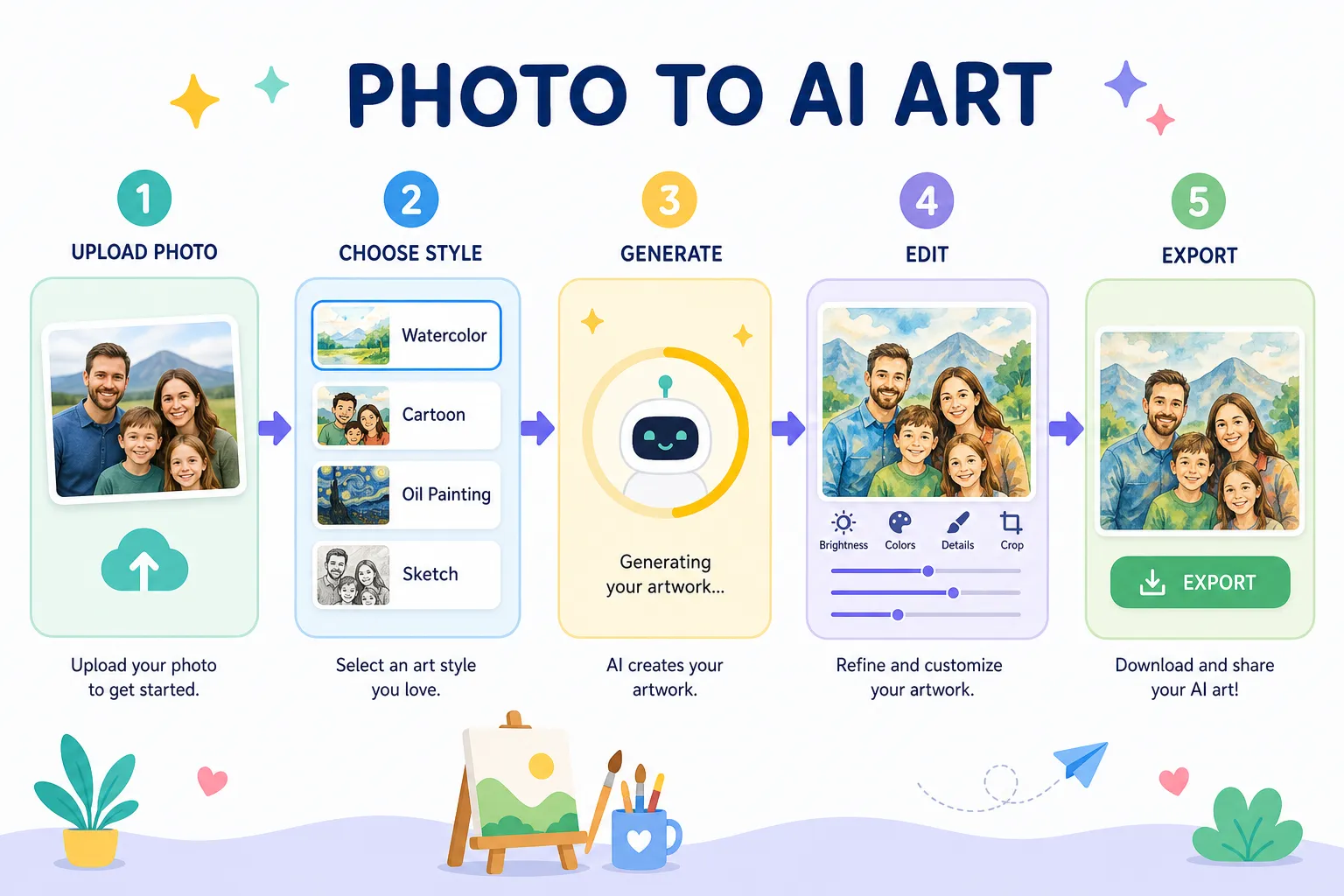
Here’s the easiest way to use a free AI generator from photo without wasting time or credits.
Step 1: Start with the right photo
The best photo usually has:
a clear face
simple lighting
minimal blur
visible hair and clothing details
a natural expression
For children, candid but well-lit photos often work beautifully.
Step 2: Decide your goal before choosing the tool
Ask yourself:
Do I want one image?
A social post?
Anime-style art?
A poster?
A bedtime book?
A birthday gift?
A classroom story?
If the answer is anything book-like or keepsake-focused, skip generic tools and start with a platform built for story-driven results.
Step 3: Pick a style that fits the mood
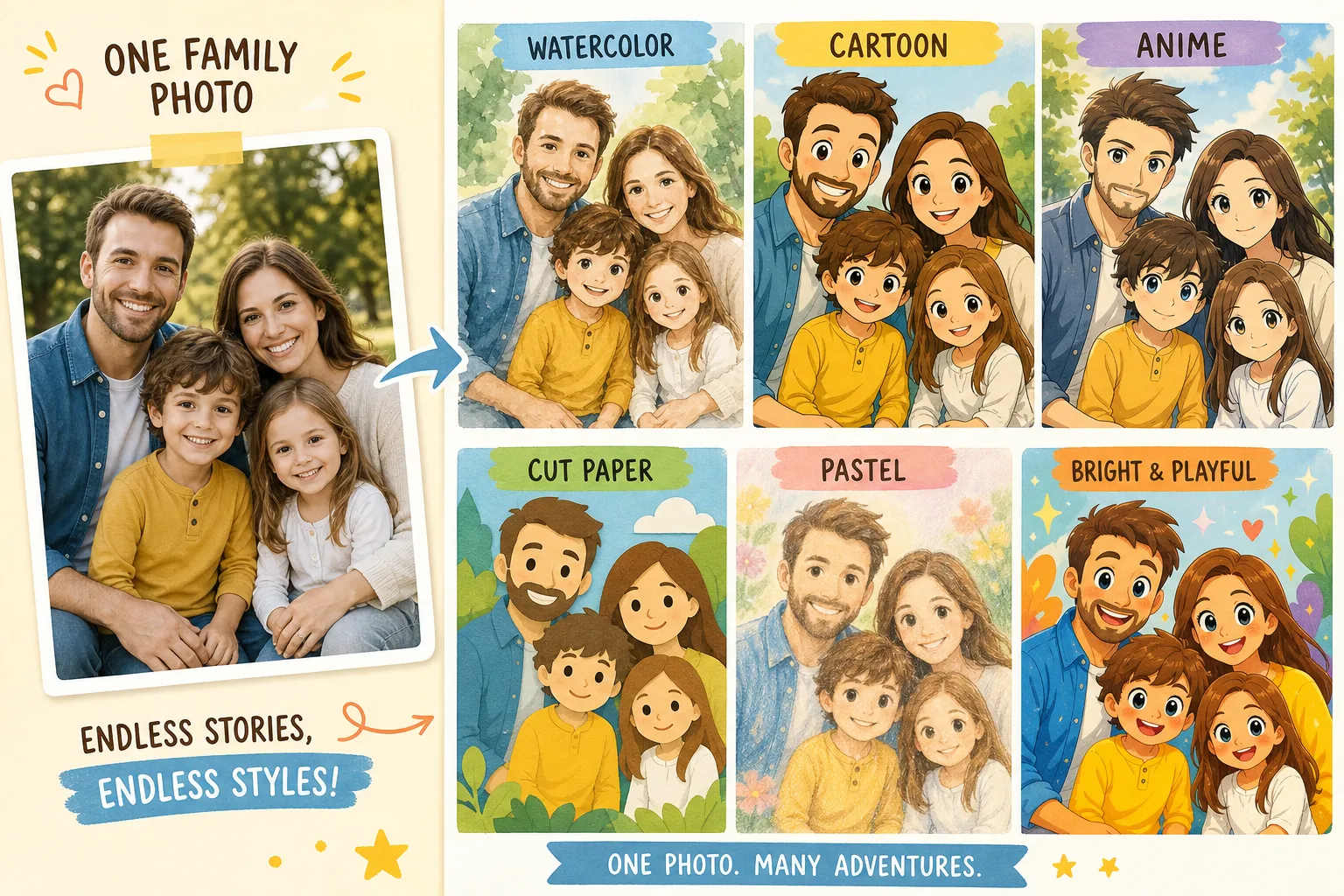
Soft watercolor and pastel styles are great for bedtime. Bright cartoon looks fit birthdays and preschool energy. Anime-inspired styles can work for older kids. Cut-paper or illustrated storybook styles often feel timeless.
Step 4: Add context, not just effects
Instead of prompting “make it art,” try:
“Turn this into a gentle bedtime story illustration”
“Make this child a brave explorer in a magical forest”
“Create a warm storybook scene with soft colors and friendly animals”
Step 5: Check subject recognition
The best output should still feel like the person in the photo. If the child no longer looks like themselves, the tool missed the job.
Step 6: Export in the format you actually need
For digital sharing, image download may be enough. For family gifts, PDF or print-ready output is much more useful.
Common Limitations of Free AI Art Tools
A good guide should be honest about the tradeoffs.
Limited free generations
Some tools offer only a few credits per day or month. That’s fine for testing, but frustrating for families experimenting with different story ideas.
Watermarks
Plenty of free art generators add visible branding, especially on downloads.
Weak photo fidelity
The output may look stylish, but the person in the image may no longer be recognizable.
No multi-page consistency
This is a major issue for anyone wanting a book, slideshow, or story sequence.
Sign-up friction
Some platforms require account creation before you can even test the result.
Generic outputs
Without child-focused templates or family-friendly prompts, many results feel cold, repetitive, or too grown-up.
This is why Doodara’s no-sign-up first-book experience is so useful. You can try the concept before committing, and because storybook creation is unlimited, you can keep iterating on themes, characters, and styles.
Best Features to Look For if You’re a Parent, Teacher, or Gift-Giver
Personalized starring role
The child should feel like the main character, not just a face pasted onto a template.
Story and art together
The strongest emotional result often comes from combining image generation with narrative. That’s especially true for bedtime and learning.
Consistent pages
If a platform creates multiple scenes, the character should remain visually coherent.
Flexible themes
You want more than “fantasy portrait.” Useful categories include:
bedtime
birthdays
school milestones
confidence and emotions
family adventures
friendship
holiday gifts
Easy sharing
Grandparents, co-parents, and teachers should be able to view or receive the result without friction.
Print options
A wonderful digital file is nice. A printed keepsake is often better.
Doodara’s Approach: More Than a Free AI Art Generator
Doodara fits the “free AI art from photo” search intent, but it goes a step further. Instead of stopping at a transformed picture, it helps families turn one uploaded image into a complete personalized picture book.
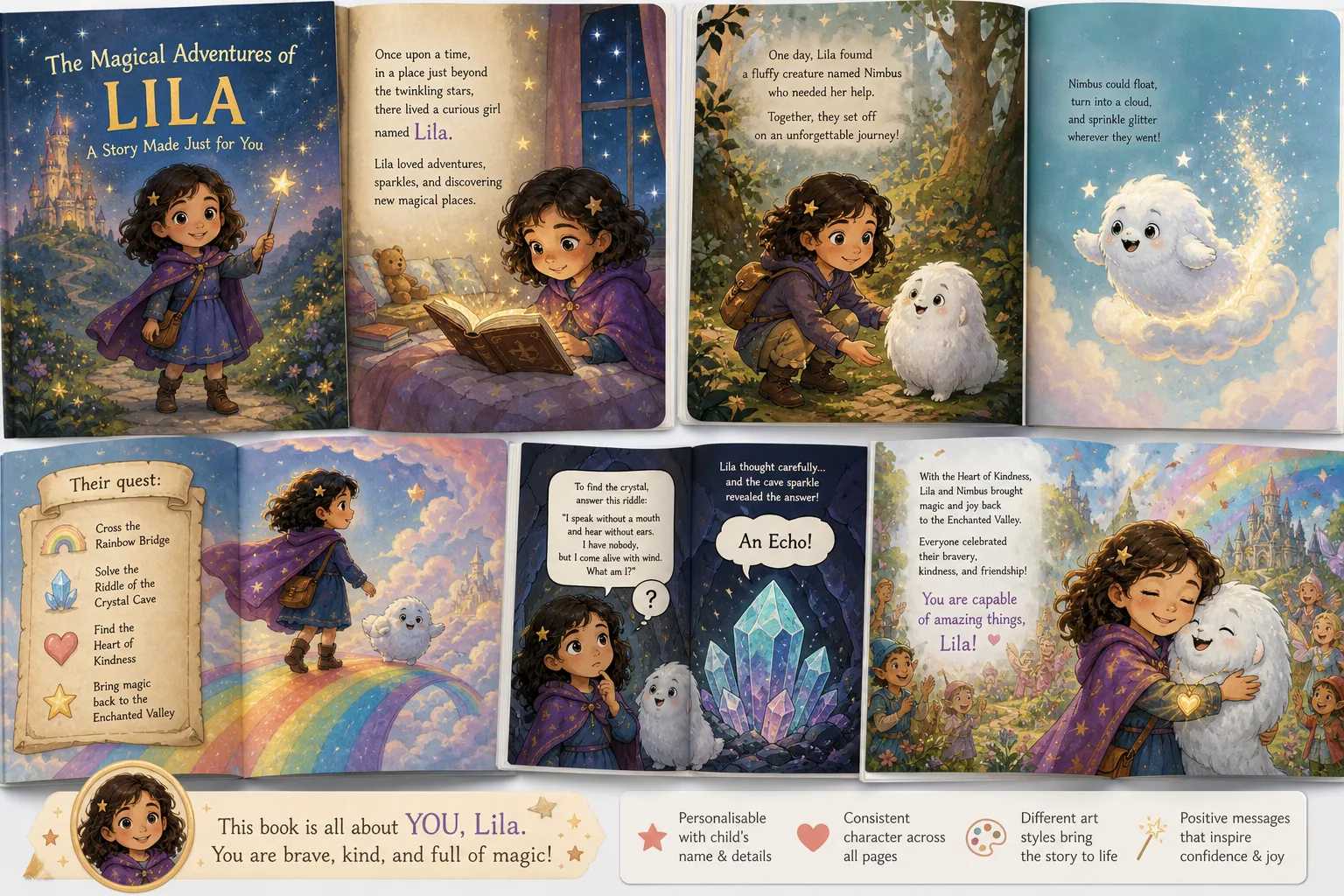
Why that matters
A lot of people searching for a free AI art generator from picture are really looking for one of three things:
a personalized gift
a fun project with a child
a memorable story experience
Doodara serves all three.
What makes Doodara different
Free to start, with no credit card required
No sign-up needed to generate a first book
Unlimited storybook creation
Upload a single photo to begin
The child can star in their own book
Fast AI-generated writing and illustrations
Consistent character design across pages
16 art styles
20+ story templates
10 languages
Interactive flipbook preview
Easy sharing
Print-ready PDF export
Great for bedtime, birthdays, classrooms, and gifts
This combination is unusual. Most competitors in the AI art space give you an image. Doodara gives you an experience.
Screenshots: What These Platforms Look Like
Canva AI Art Generator
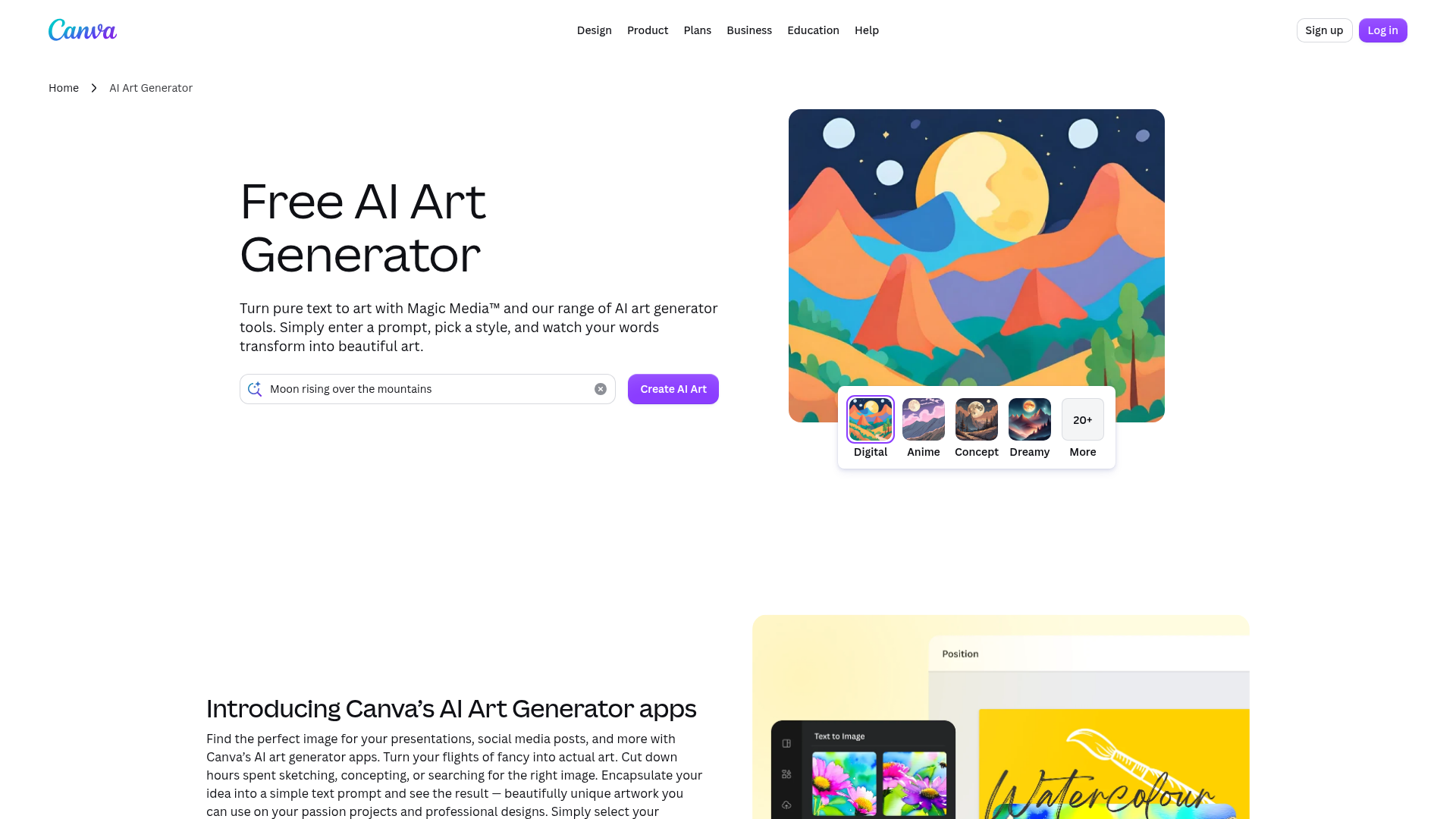
Canva is useful for general-purpose design workflows and quick AI art experiments, especially if you want to add text, graphics, or social-media layouts afterward. But it’s a broader design tool, not a purpose-built personalized children’s publishing platform.
MolyPix.AI
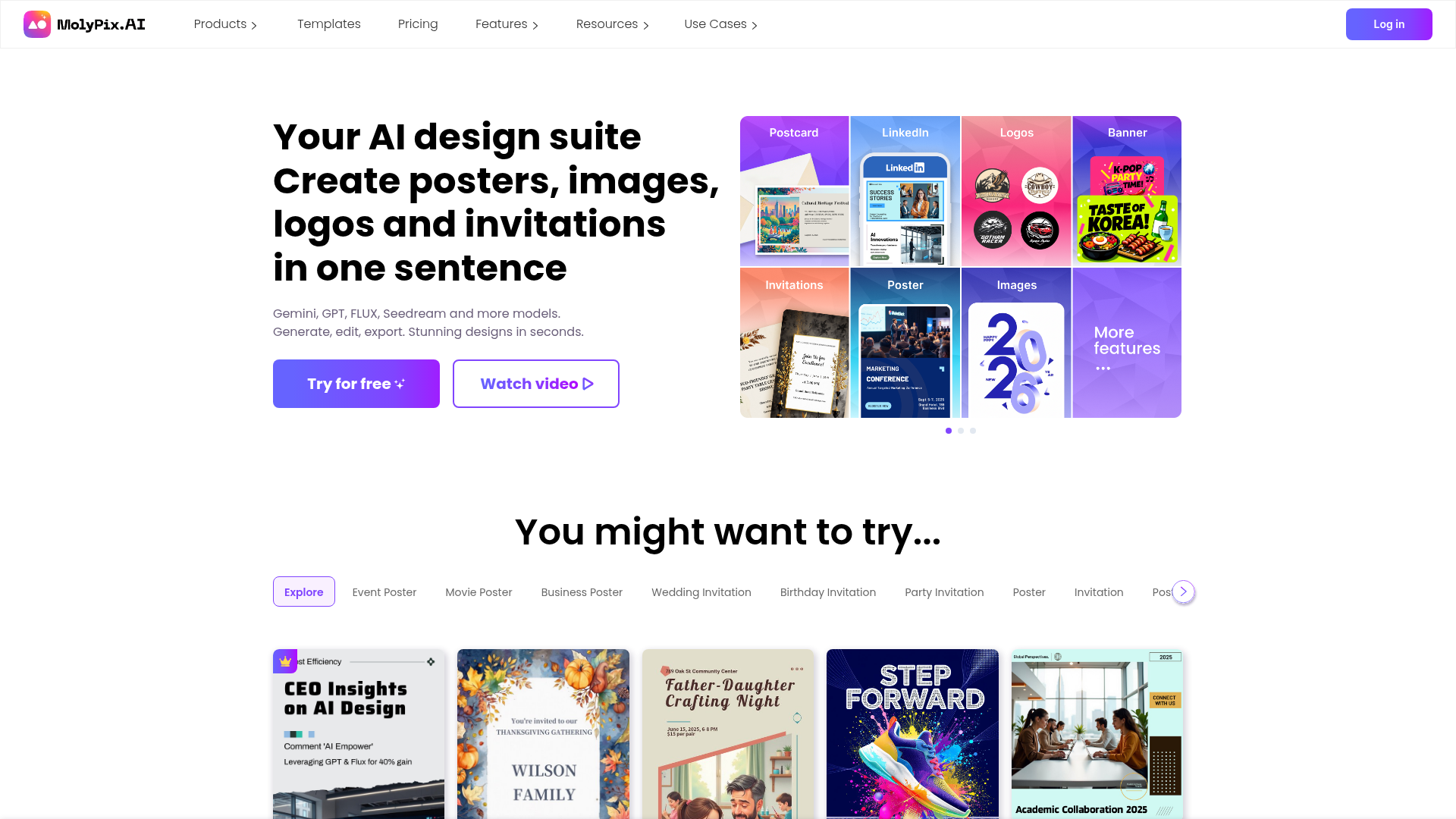
MolyPix focuses on AI-powered design creation and can be handy for posters, invitations, and marketing-style visuals. It’s helpful in the wider art AI generator free landscape, but it doesn’t center the family storybook workflow that makes Doodara special.
Tips for Better Results When Turning a Photo Into AI Art
Use one subject if possible
Group photos are harder for AI to interpret well. If you want a child to become the main character, use a solo photo first.
Choose photos with visible personality
A smile, favorite pajamas, superhero pose, or beloved backpack adds storytelling cues the AI can build from.
Match the art style to the age range
Younger children often connect with brighter, softer, simpler imagery. Older kids may enjoy richer fantasy or anime-inspired looks.
Keep prompts emotionally specific
“Cute art” is vague. “Gentle bedtime watercolor with moonlight and friendly forest animals” is much stronger.
Test two or three directions
One of the biggest benefits of a free AI art generator website is experimentation. Try a cozy version, an adventurous version, and a silly version to see what resonates.
Think beyond the image
The best result might not be the prettiest single page. It might be the version that sparks a smile, a conversation, or a new bedtime ritual.
Safety, Privacy, and Family-Friendliness
When photos involve children, the bar should be higher.
Questions worth asking
Does the platform clearly explain uploads and outputs?
Can you try it without handing over too much personal information?
Is the result age-appropriate by default?
Can you easily download and keep what you create?
Is the sharing flow simple and controlled?
A family-centered tool should feel reassuring, not confusing. Doodara’s product design is especially appealing here because the workflow is oriented around caregivers and children, not just generic creative experimentation.
Best Scenarios for Using Doodara Instead of a Generic Free AI Art Tool
Bedtime routines
A custom story starring your child can make reading time more engaging and personal.
Birthday surprises
A personalized book feels more lasting than a novelty image alone.
School transitions
Stories about the first day of school, making friends, or trying something new can help children process change.
Fear of the dark
A gentle story featuring the child as a brave character can help emotional regulation.
Grandparent gifts
Instead of sending a photo, send a fully illustrated storybook.
Classroom reading corners
Teachers can use personalized, visually engaging books to support reading motivation and inclusion.
Final Verdict
If all you want is a quick stylized portrait, many tools in the free AI artwork generator space can get you there. But if you want something that feels personal, useful, and genuinely memorable, it helps to choose a platform designed around the real outcome you care about.
For families, educators, and gift-givers, that outcome often isn’t just “art.” It’s a story, a keepsake, a confidence boost, or a warm bedtime moment.
That’s why Doodara is such a smart next step. You can start free, no credit card required. There’s no sign-up needed to generate your first book. You can create unlimited storybooks, star a child in their own adventure, choose from 16 art styles and 20+ templates, preview everything in an interactive flipbook, and export a print-ready PDF when you’re ready to keep or share it.
If you’ve been searching for a good AI art generator free from photo uploads, don’t stop at a single image. Turn that picture into a story your child will want to read again and again with Doodara.
FAQ
Is there a free AI image generator from existing photos?
Yes. Many tools let you upload an existing image and restyle it, but the best option depends on whether you want a single piece of art or something more meaningful like a personalized storybook. Doodara is especially useful if you want to turn one child’s photo into a full illustrated book.
How to turn pictures into AI art for free?
Start with a clear photo, upload it to a photo-based AI art tool, choose a style, and add a short prompt describing the mood or scene. If you want more than a stylized image, Doodara lets you transform a photo into a free personalized picture book with fast AI writing and illustrations.
Is there a 100% free AI image generator?
Some tools offer free access, but many include limits like watermarks, credit caps, or slower generation. Doodara offers a very friendly starting point: no credit card required, and no sign-up needed to generate a first book.
Are there any actually free AI art generators?
Yes, but “actually free” often means basic usage with restrictions. If you want a family-focused experience, Doodara stands out by offering unlimited storybook creation and a clear path from one uploaded photo to a personalized keepsake.
Is there a 100% free AI image generator?
There are free tools for testing and casual use, though fully unrestricted access is rare. For parents and caregivers, the bigger question is whether the platform gives enough value to create something memorable, and Doodara does that especially well with story templates, art styles, and print-ready export.
Is there an AI art generator with no restrictions?
No platform is completely without limits, whether on usage, export, or content rules. But Doodara removes a lot of the usual friction by offering free first-book generation without sign-up, easy sharing, and a streamlined experience built for families, classrooms, and gifts.
About the author
Andy — Andy is the founder of Doodara and builds the illustration pipeline behind it — the part that has to keep a child's character looking like the same child on every page of a book. Most of that work is character consistency, content safety for material aimed at young children, and the unglamorous business of making a generated book good enough that a family reads it twice.